Installation with Treon Bolt Mount Adapter
Introduction - Treon Bolt Mount Adapter
With the Treon Bolt Mount Adapter, the Treon Industrial Node X is directly attached to the machine surface. This minimizes the vibration transmission route for best measurement quality. Manual alignment of the Industrial Node X is not possible with this installation method.
This installation method requires a flat surface of at least 31.7 mm or 1.25 in diameter, and a hole for an M6×1 or M8×1.25 bolt with at least 9 mm or 0.35 in depth of threading.
Applies to: Treon Industrial Node X
Adapter: Treon Bolt Mount Adapter
Use when: You can tap/drill a mounting hole on a completely flat, smooth surface and manual alignment is not necessary.
Specifications
| Parameter | Value |
|---|---|
| Bonding | M6×1 or M8×1.25 bolt |
| Minimum mounting surface diameter | 31.7 mm (1.25 in) |
| Minimum thread hole depth | 9 mm (0.35 in) |
| Total height (Node + adapter) | 88 mm (3.46 in) |
| Curved surface | No |
| Uneven surface | No |
| Allows manual orientation | No |
| Frequency response (vibration) | Excellent |
| Temperature response (steady‑state) | Good |
| Fast temperature change response | Good |
| Affects magnetometer measurements | No |
Requirements
For this installation method you will need:
- Treon Industrial Node X.
- Treon Bolt Mount Adapter.
- Tap/drill M6×1 or M8×1.25 bolt of minimum 9 mm or 0.35 in depth.
- Torque wrench capable of applying 3 Nm. (Optional)
- Cleaning materials (degreaser/isopropyl alcohol, lint‑free wipes).
- Personal protective equipment (PPE) as per site rules.
Safety & Preparation
- Isolate an/or turn off the asset and other equipment in close proximity if required by your site procedures.
- Select a flat, smooth area larger than the sensor base close to the measurement point and away from resonant/loose parts.
- Clean the surface thoroughly; remove paint, rust, oil, and debris.
- Verify there is sufficient thickness in the asset’s material for the tapped hole.
Step-by-step installation guide
Step 1: Drill mounting hole
Start with carefully drilling an M6×1 or M8×1.25 hole into the machine surface at the location you have chosen for the measurements. Please consider carefully where you drill the hole. If you are unsure, please consult the manual of the machine or the manufacturer.
Be sure to drill the hole with the correct alignment to the machine. For most uses, an exact angle of 90° to the plane will be the right choice.
The minimum required thread hole depth to drill is 9 mm or 0.35 in.
Step 2: Clean the surface
After drilling, clean the machine surface thoroughly.
Step 3: Attach mounting bolt to adapter
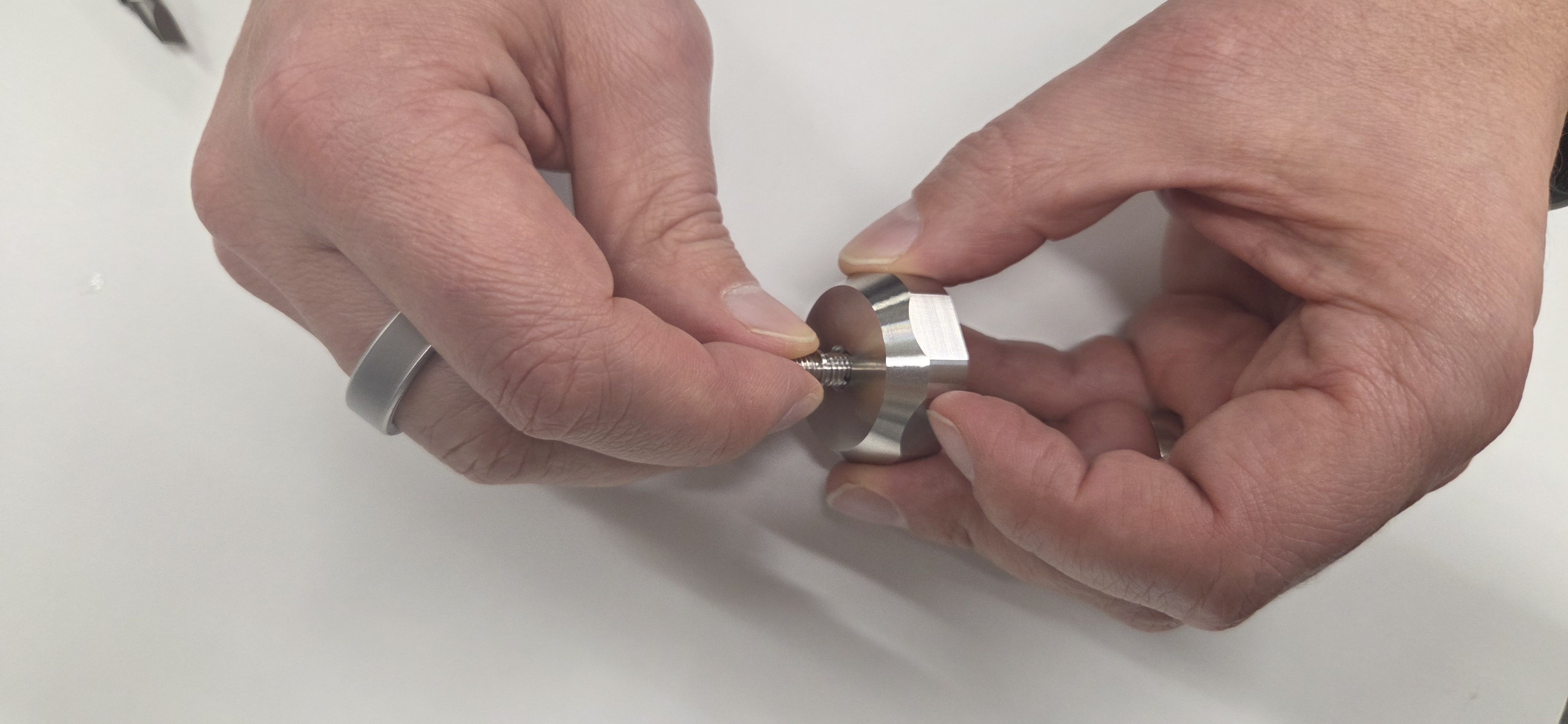
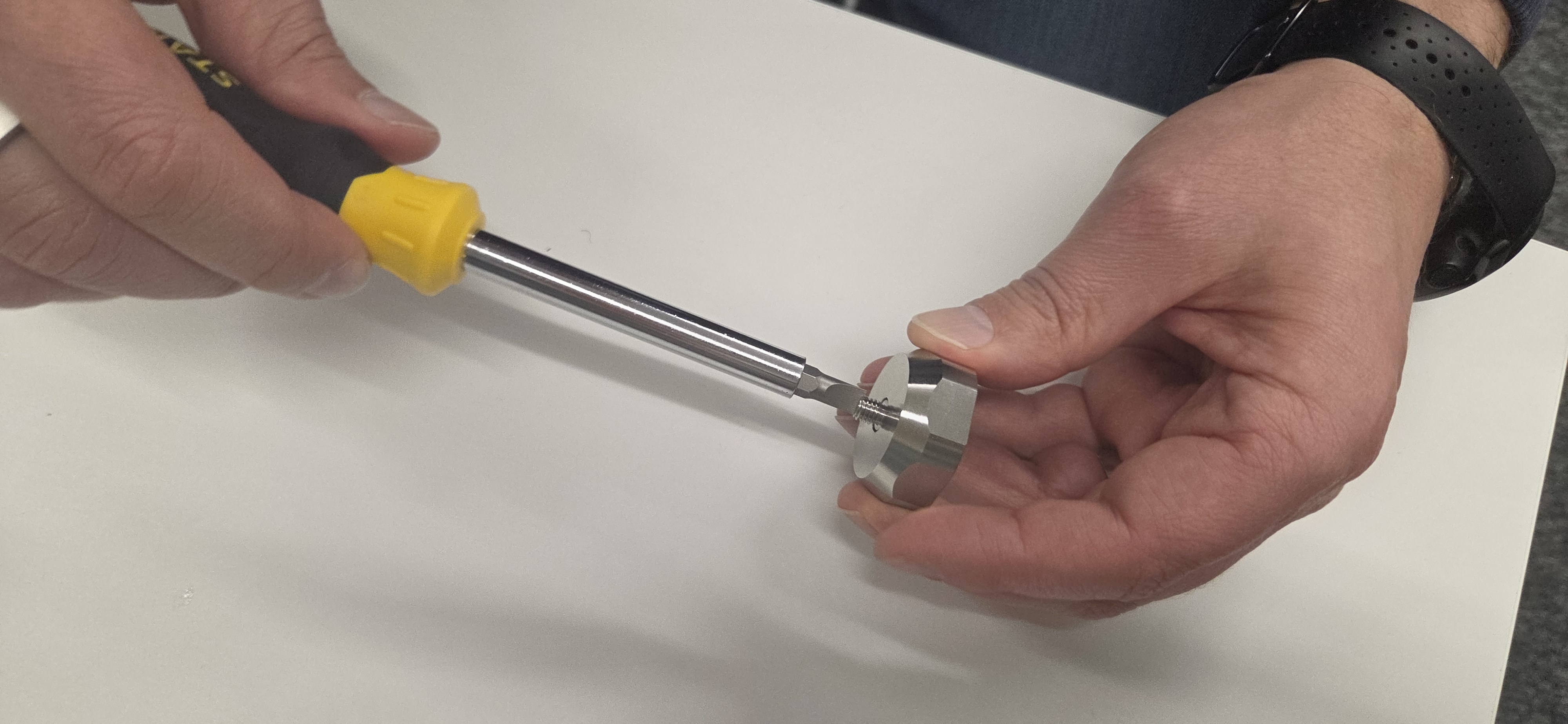
Attach the mounting bolt to the Treon Bolt Adapter by carefully screwing it in with a screwdriver. Choose the M6×1 bolt if you drilled an M6 hole and the M8×1.25 bolt if you drilled an M8 hole.
Step 4: Tighten adapter to node
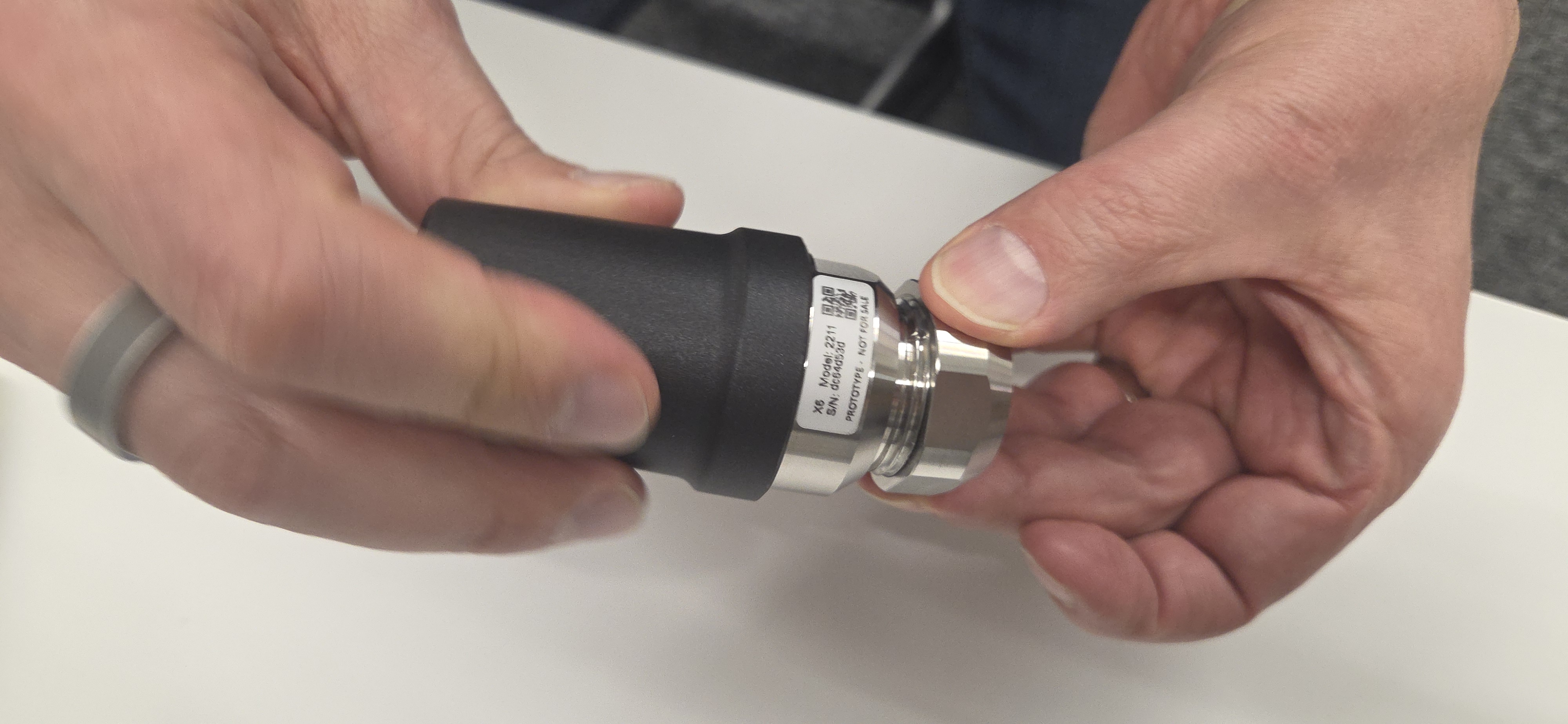
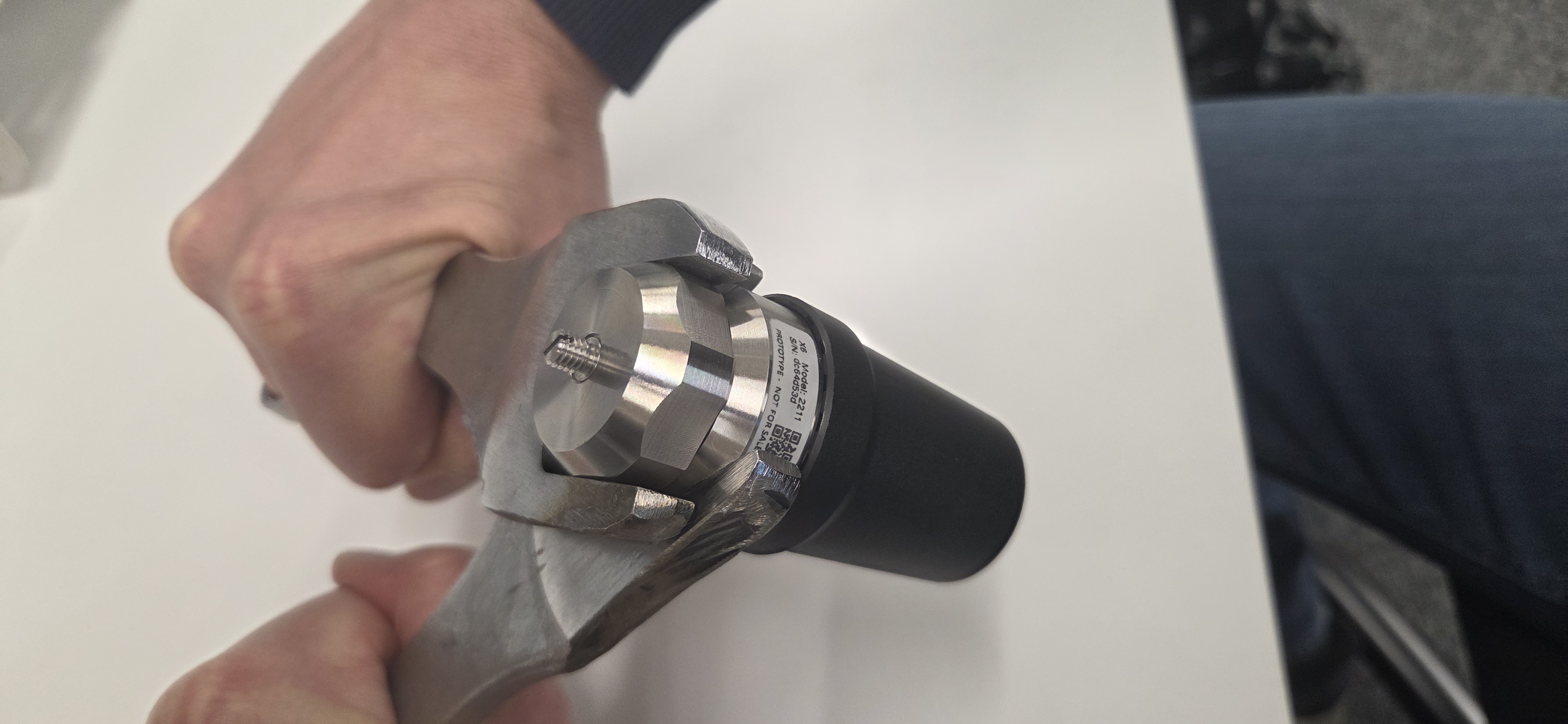
Place the Treon Bolt Adapter with the attached mounting bolt on the Treon Industrial Node X and carefully screw it in.
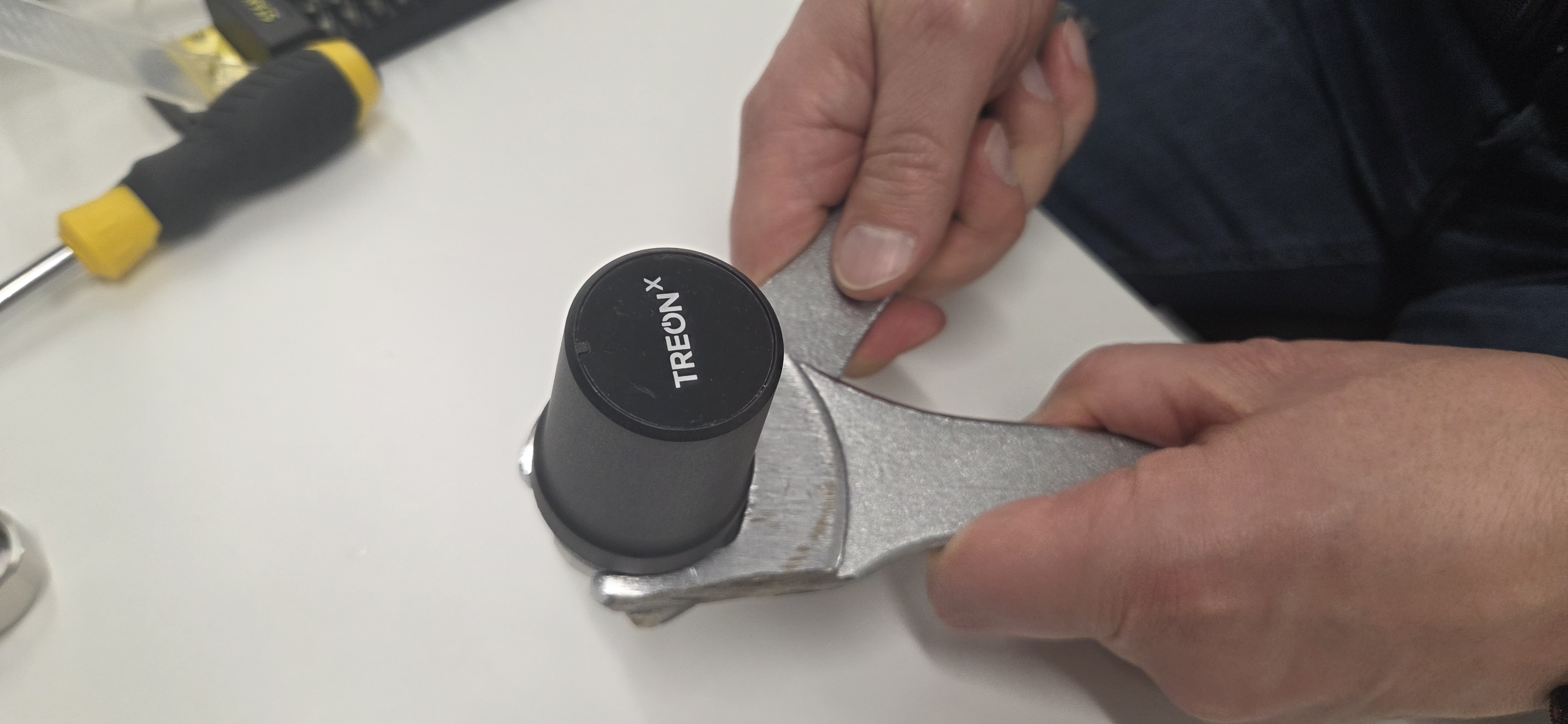
 Use a socket wrenches to tighten the connection.
Step 5: Attach to machinery
Now screw the Treon Industrial Node X with attached Treon Bolt Adapter into the M6 or M8 hole on the asset’s surface.
Optionally a threadlocker can be used if needed to secure the device in place.
Step 6: Tighten
Now set your torque wrench with a spanner size of 34 mm to a tightness of 3 Nm (Newton metres, approximately hand tight) and carefully tighten the Treon Industrial Node X to the machine.
Verification
- Confirm axis alignment marks match the intended directions.
- Run a quick measurement and validate expected directional sensitivity.
The Treon Industrial Node X is now fully installed!
Troubleshooting
Error: The asset cannot be turned off.
In case the asset cannot be turned off for installation of the Treon Industrial Node X, please proceed with caution and take all safety protocols at the deployment site into account.Error: Cannot drill hole
In case it is not possible to drill an M6 or M8 hole with 9mm depth, please choose another installation method.Error: I over tightened the node.
Please tighten with great care in order to avoid damage to the asset and the Treon Industrial Node X!Error: The asset was damaged.
If at any point it seems like the asset was damaged during the installation process, please consult the machine's repair manual or contact the manufacturer for further instructions on how to conduct the repair.Disclaimer
Treon is not responsible for any damage, injury, or malfunction resulting from the installation or use of the Treon Industrial Node X.
Installation must be performed by qualified personnel.
Any issues arising from incorrect installation, improper handling, or use outside the specified guidelines are the sole responsibility of the installer or end user.

Last updated on Sep 29, 2026