Mounting strategies for Treon Industrial Node X
Introduction
When mounting the Treon Industrial Node X to an asset, consider the location of the sensor and the contact between the sensor and the machine. The best location to attach the sensor depends on the machine and the monitored vibration source.
For best measurement quality, the contact surface on the machine should be:
- completely flat: within 0.03 mm (1 mil = 1/1000th inch)
- smooth: surface texture no greater than Ra 0.8 (32 microinches)
- larger than the base of the Treon Industrial Node X
Installation methods
There are five recommended installation methods:
- Treon Bolt Mount Adapter
- Treon Orientation Adapter
- Treon Magnetic Glue Adapter for Flat Surface
- Treon Magnetic Glue Adapter for Curved Surface
- Direct glue mounting
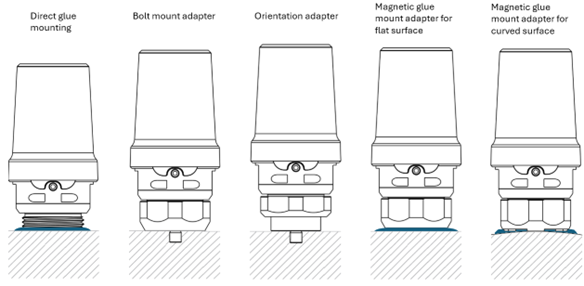
| Mount type | Bonding | Minimum mounting surface diameter | Minimum thread hole depth | Curved surface | Allows manual orientation | Total height (node + adapter) |
|---|---|---|---|---|---|---|
| Treon Bolt Mount Adapter | M6x1 or M8x1,25 bolt | 31,7 mm [1.25 in] | 9 mm [0.35 in] | No | No | 88 mm [3.46 in] |
| Treon Orientation Adapter | M6x1 or M8x1,25 bolt | 25 mm [0.98 in] | 9 mm [0.35 in] | No | Yes | 91 mm [3.58 in] |
| Treon Magnetic Glue Adapter for Flat Surface | Glue | 31,7 mm [1.24 in] | – | No | Yes | 89 mm [3.50 in] |
| Treon Magnetic Glue Adapter for Curved Surface | Glue | 33 mm [1.3 in] | – | Yes | Yes | 89 mm [3.50 in] |
| Direct glue mounting | Glue | 31,7 mm [1.25 in] | – | No | Yes | 80 mm [3.15 in] |
The four different adapters for Treon Industrial Node X have different installation surfaces:
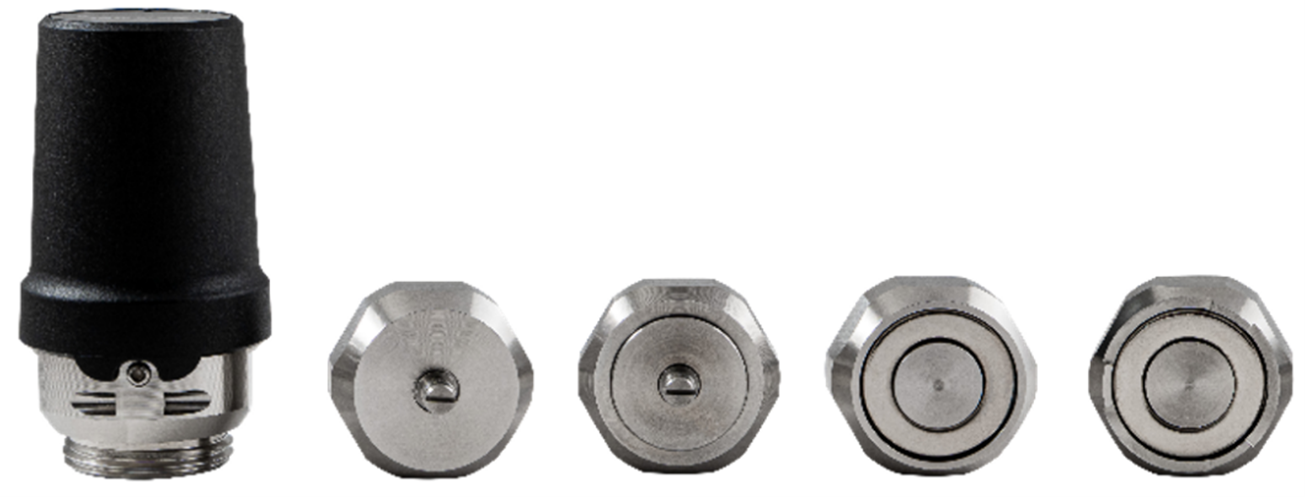
Treon Magnetic Glue Adapter for Flat Surface, Treon Magnetic Glue Adapter for Curved Surface
Choosing the right installation method
Installation Method Comparison Table
| Installation Method | Direct Glue Mounting | Bolt Mount Adapter | Orientation Adapter | Magnetic Glue Mount Adapter (Flat Surface) | Magnetic Glue Mount Adapter (Curved Surface) |
|---|---|---|---|---|---|
| Bonding | Glue | M6×1 or M8×1.25 bolt | M6×1 or M8×1.25 bolt | Glue | Glue |
| Minimum mounting surface diameter | 31.7 mm (1.25 in) | 31.7 mm (1.25 in) | 25 mm (0.98 in) | 31.7 mm (1.24 in) | 33 mm (1.30 in) |
| Minimum thread hole depth | – | 9 mm (0.35 in) | 9 mm (0.35 in) | – | – |
| Total height (Node + adapter) | 80 mm (3.15 in) | 88 mm (3.46 in) | 91 mm (3.58 in) | 89 mm (3.50 in) | 89 mm (3.50 in) |
| Curved surface | No | No | No | No | Yes |
| Uneven surface | No | No | No | No | Yes |
| Allows manual orientation | Yes | No | Yes | Yes | Yes |
| Frequency response (vibration) | Excellent | Excellent | Good | Good | Good |
| Temperature response (steady‑state) | Excellent | Good | Good | Medium | Medium |
| Fast temperature change response | Excellent | Good | Good | Medium | Medium |
| Affects magnetometer measurements | No | No | No | Yes | Yes |
Surface preparation
For a proper and long-lasting installation of the Treon Industrial Node X, it is essential that the installation surface is as flat, smooth and clean as possible.
Ensure the machine contact surface is as flat as possible. Whenever it is possible to smoothen the installation surface, smoothen a surface larger than the base of the Treon Industrial Node X to ensure optimal mounting.
In case it is not possible to smoothen the installation surface, choose an installation method that will enable best possible sensor readings.
In case the mounting surface is covered by paint, consider removing the paint before installation of the sensor if possible.
Before installation of the Treon Industrial Node X, clean the surface to remove all dirt, grease and other contaminants.
Alignment
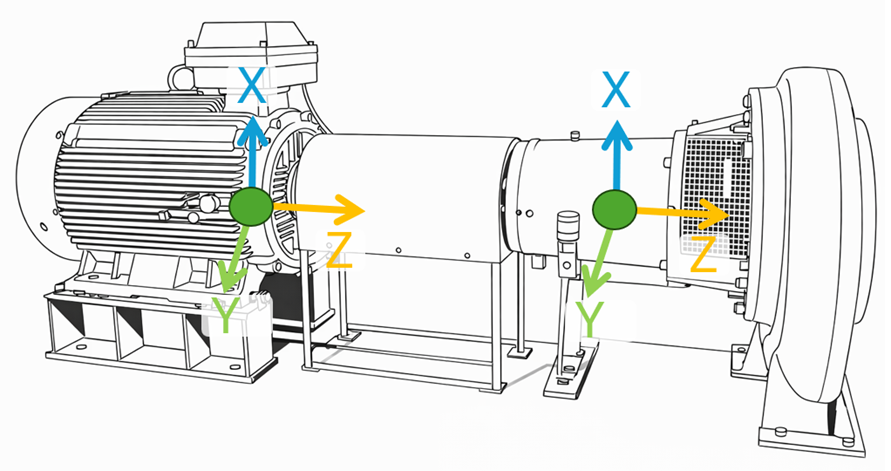
For accurate interpretation of the measurement data of all sensor axis, the centerline of Treon Industrial Node X is often aligned with the shaft of the rotating machine. This can be done by manually aligning the sensor with the shaft.
Manual alignment requires using the Treon Orientation Adapter or direct gluing. When mounting the sensor, align its axis directly toward drive or non- drive end of monitored machine using the orientation notch in the top window and the safety screw opening as visual guidelines
Installation with Treon Bolt Mount Adapter
The Treon Industrial Bolt Mount Adapter is directly attached to the asset’s surface. This minimizes the vibration transmission route for best measurement quality. Manual alignment of the Treon Industrial Node is not possible with this installation method.
Installation with Treon Bolt Mount Adapter requires a flat surface of 31.7 mm or 1.25 in diameter, and a hole for an M6x1 or M8x1,25 bolt with 9 mm or 0.35 in depth of threading.
Read the full article on installation without an adapter here.
Installation with Treon Orientation Adapter
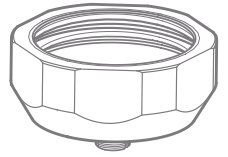
Using a Treon Orientation Adapter has the benefits of the Treon Bolt Adapter with the additional benefit that it allows manual orientation of the Treon Industrial Node X during installation.
Installation with a Treon Orientation Adapter requires a flat surface of 25 mm or 0.98 in diameter, and a hole for an M6x1 or M8x1,25 bolt with 9 mm or 0.35 in depth of threading.
Read the full article on installation with a Treon Orientation Adapter here.
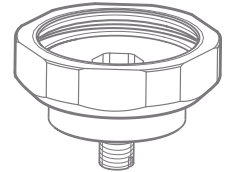
Treon Magnetic Glue Adapter for Flat Surface
Using the Treon Magnetic Glue Adapter for Flat Surface enables attaching the Treon Industrial Node to flat surfaces without drilling a hole for a bolt. It is possible to manually align the Treon Magnetic Glue Adapter for Flat Surface.
Installation with a Treon Magnetic Glue Adapter for Flat Surface requires a Treon Magnetic Glue Adapter for Flat Surface, suitable glue, and a surface area of minimum 31.7 mm or 1.24 in diameter.
Read the full article on installation with a Treon Magnetic Glue Adapter for Flat Surface here.
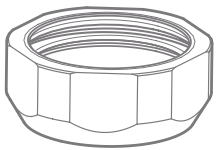
Treon Magnetic Glue Adapter for Curved Surface
Using the Treon Magnetic Glue Adapter for Curved Surface enables attaching the Treon Industrial Node to curved surfaces without drilling a hole for a bolt. It is possible to manually align the Treon Magnetic Glue Adapter for Curved Surface.
Installation with a Treon Magnetic Glue Adapter for Curved Surface requires a Treon Magnetic Glue Adapter for Curved Surface, suitable glue, and a surface area of at least 33 mm or 1.3 in diameter.
Read the full article on Installation with a Treon Magnetic Glue Adapter for Curved Surface here.
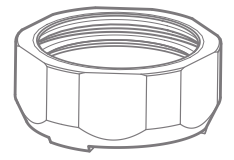
Direct glue mounting
Direct glue mounting allows installation of the Treon Industrial Node X to any flat or slightly uneven surfact directly without the use of an adapter.
Direct glue mounting requires suitable glue, and a surface area of at least 31.7 mm or 1.25 in diameter.
Read the full article on Direct glue mounting here.
Improper mounting techniques
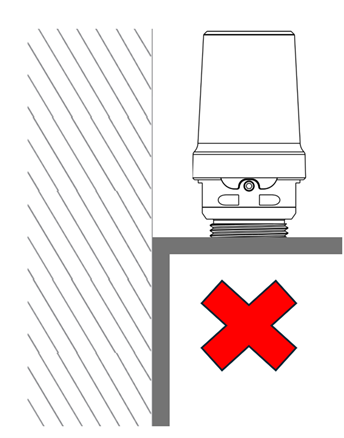
Mistake 1: Wrong mounting location
Mounting should happen directly to the asset, not on parts extruding from the asset such as fan covers and cooling fins.
Mistake 2: Uneven mounting base
Mounting should happen on an even surface, with the Treon Industrial Node X mounted on a 90° angle to the surface.
<imgsrc="/media/nodex/nodex_mountingex7.png" width=“180”>
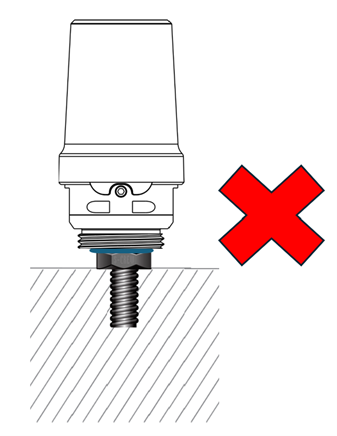
Mistake 3: Bolt-mounting without adapter
When you install the Treon Industrial Node X on the asset via a drill hole, make sure you use the right adapter:
- Treon Bolt Mount Adapter or
- Treon Orientation Adapter.

Last updated on Apr 23, 2026