Configuration sets
Keep a growing fleet consistent. Define a configuration set once and apply it to any number of devices of the same model.
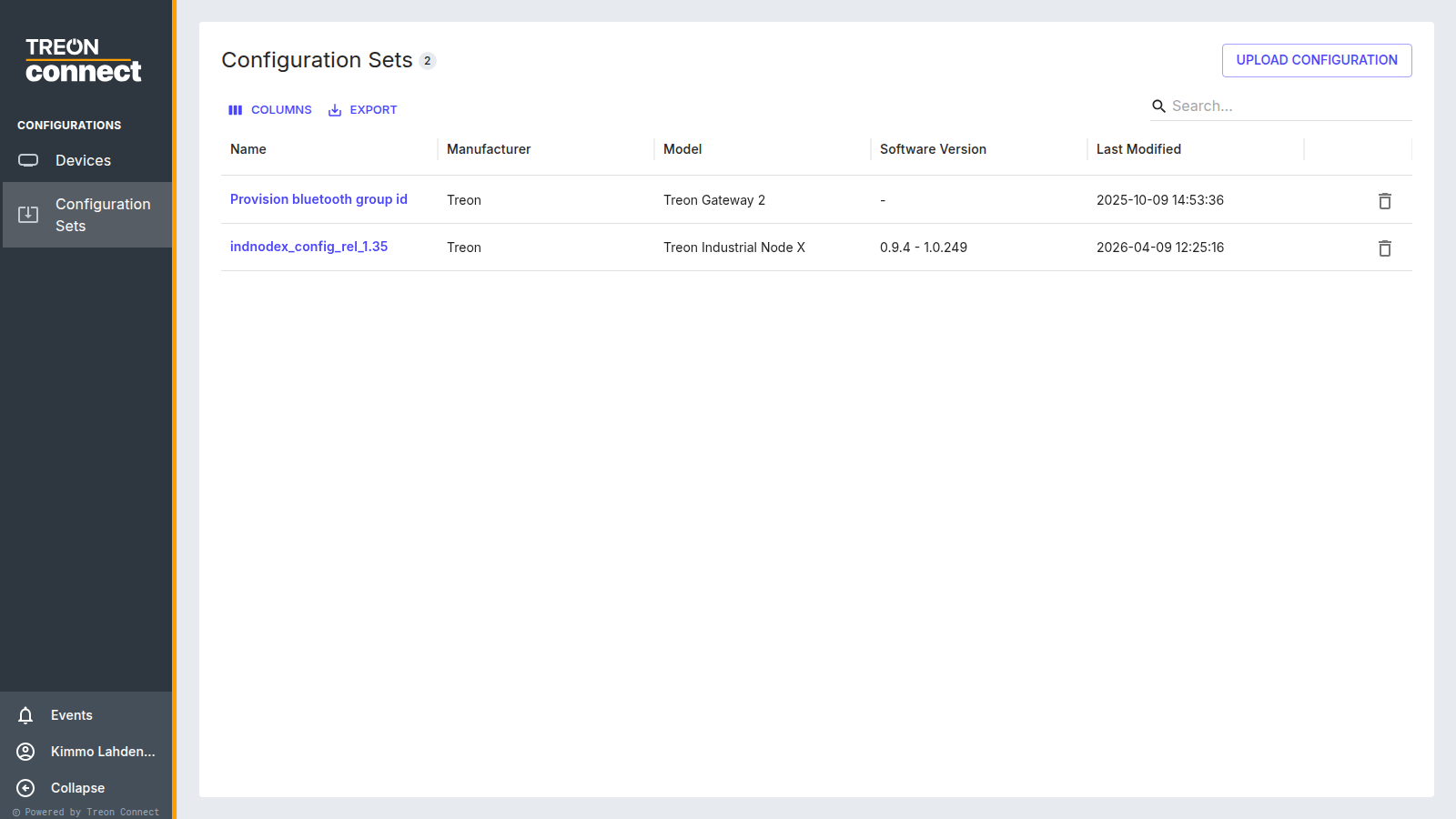
Creating a set
A set is created with Upload configuration — add it from a configuration file (.json).
Treon Connect reads the file's schema to know which model and version the set targets.
Building a configuration from scratch
Where it is enabled for your instance, a Create Config drawer lets you build a Treon Industrial Node X or gateway configuration for a chosen device version, import and export it as JSON, reset it, and migrate it to a newer firmware version.
Applying a set
Open a set to see its Applicable Devices — the devices it can be sent to, automatically filtered to compatible models and versions. Select the target devices with the checkboxes (a device that already has an operation running can't be selected), then Apply Configuration and confirm.
Each device receives the configuration as its own operation, with results reported per device; devices that are asleep receive it at their next wake-up. Track the outcomes in Operational Telemetry.
Rolling a configuration out to a fleet
When many devices of the same model should measure the same way, configure it once and roll it out:
- Prepare the configuration — create the set for that model, either from a configuration file or based on an existing device's current settings.
- Apply it — select the devices in Applicable Devices and Apply Configuration.
- Track it — follow the per-device results in Operational Telemetry: in progress, Succeeded, Failed or Timed out.
Devices that are asleep pick the configuration up at their next wake-up, so a battery-sensor rollout completes over time rather than instantly. Re-check the telemetry a day later rather than treating "not yet applied" as a failure.
A device can't be selected
A device with an operation already running isn't selectable — let its current operation finish, then apply.
Deleting a set
Delete a set from the Configuration Sets list; you're asked to confirm.