Device details and telemetry
Everything about one device in one place. The detail drawer shows overview, telemetry and event rules, links to its configuration, and lets you reboot gateways and Node X sensors.
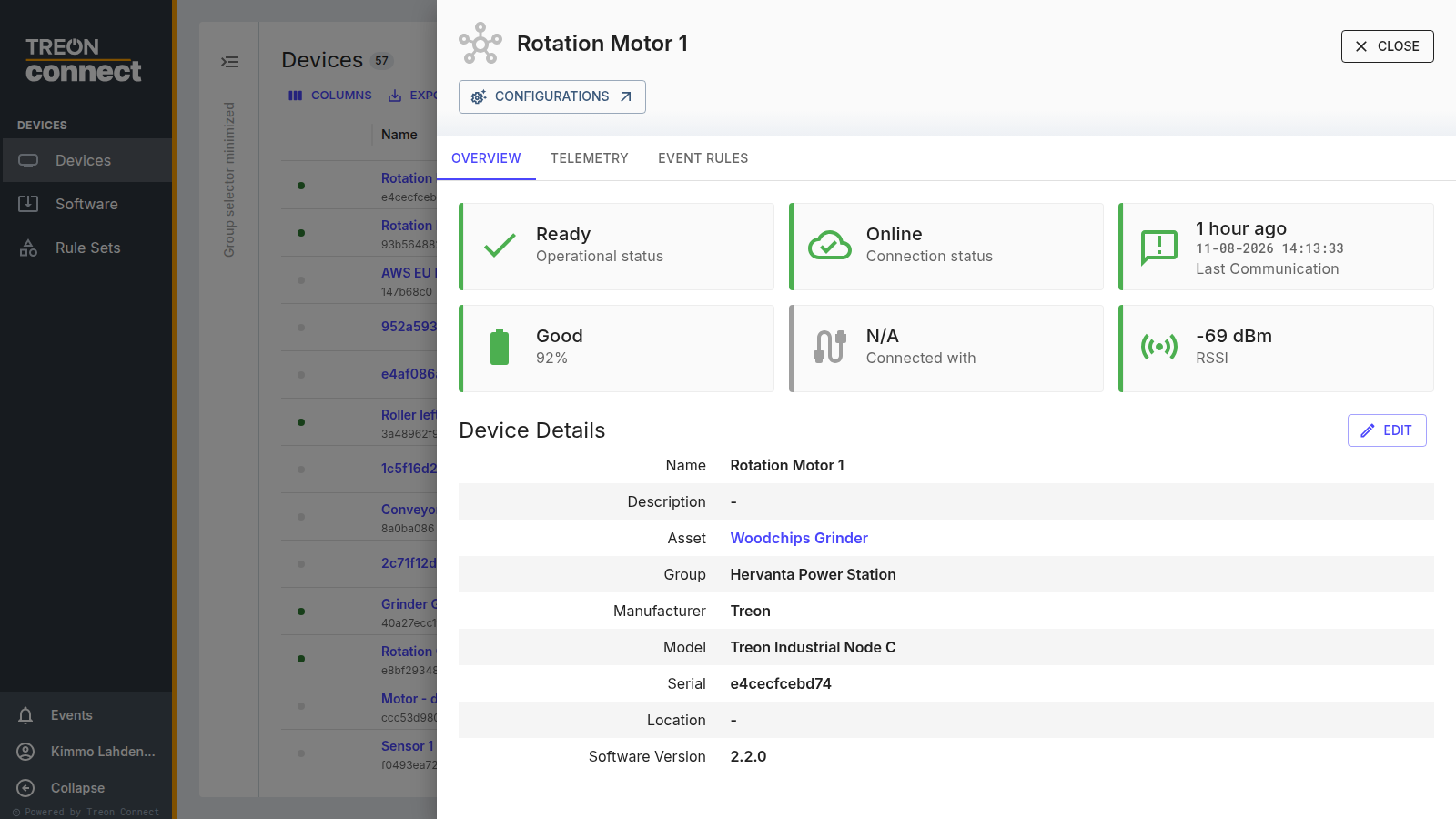
Overview
The top of the Overview tab shows the device's live health as cards:

- Operational status — the device's readiness.
- Connection status — Online or Offline.
- Last Communication — when the device last reported.
- Battery — for Treon Industrial Node C, a Good / Poor / Critical rating with a percentage; for Treon Industrial Node X, the battery voltage (in volts, without a rating). Other models show no battery card.
- Connected with — how the device reaches the cloud: Wirepas for a Treon Industrial Node X (its mesh), and the link type (Ethernet / Wi-Fi / Cellular) for a gateway.
- RSSI — radio signal strength, in dBm.
Below, Device Details lists the device's Name, Description, the Asset it's attached to, Group, Manufacturer, Model, Serial, Location and Software Version. Edit lets you change the editable fields — name, description, location and group. The Configurations link jumps straight to this device's configuration.
Telemetry
The Telemetry tab charts the device's own health metrics over time — pick the KPIs and a time range, the same way as a measurement trend. Use it to see, for example, battery or signal declining before a device drops off. (The tab appears for devices that report diagnostic KPIs.)
Event Rules
The Event Rules tab shows the event rules set on this device — the same per-point rules you reach from Events and Condition.
Reboot a device
For a gateway or Treon Industrial Node X, Reboot restarts the device: it opens a confirmation, and is blocked while another operation on the device is still running (the dialog shows the in-progress operation). Reboot isn't offered for Treon Industrial Node C. Follow the reboot in Operational Telemetry.