Reports
Turn asset data into insights for maintenance teams, operations managers and business leaders. Reports emails recurring summaries of asset health and events on a schedule. Administrator access is required.
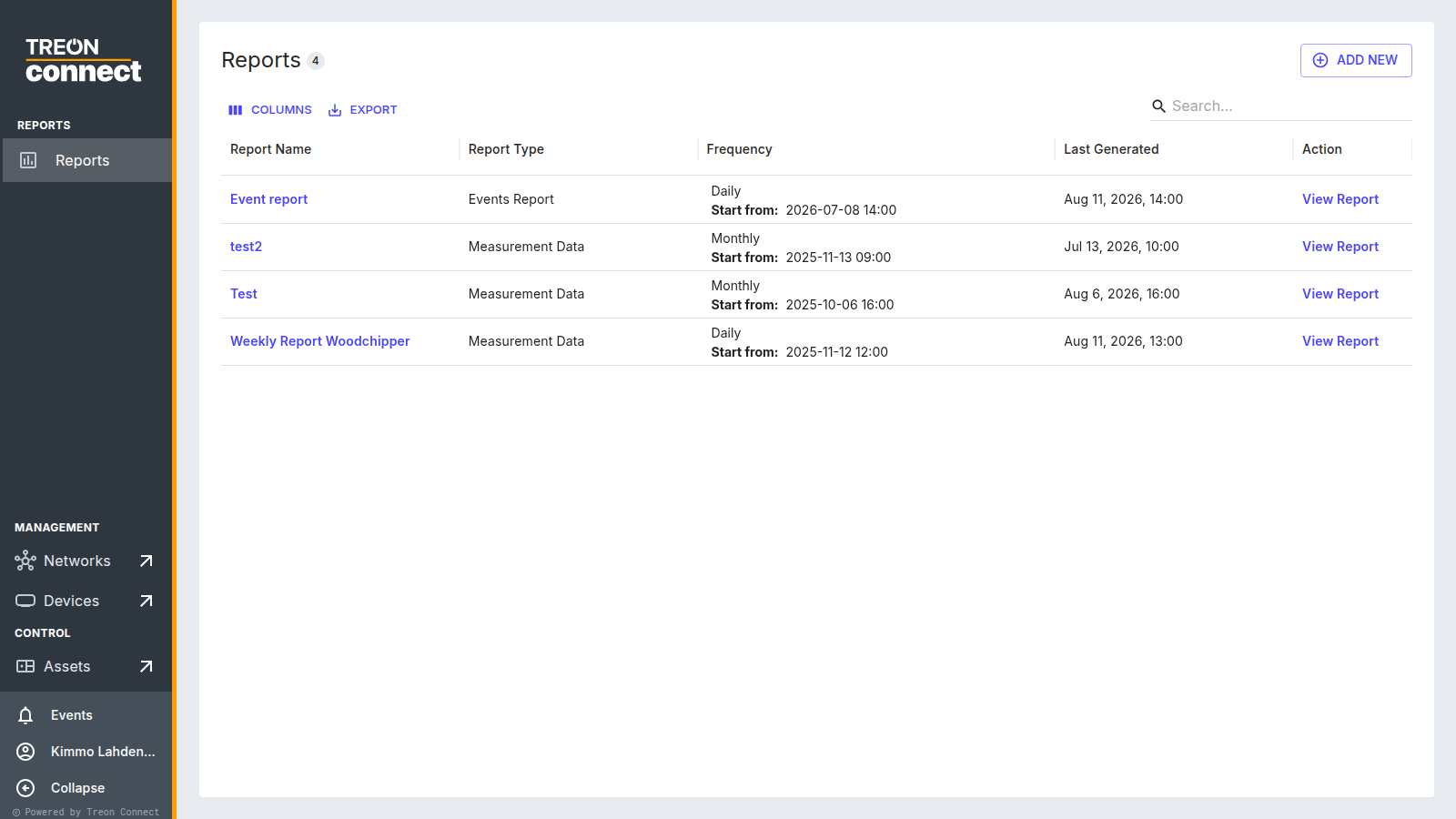
The report list
Each report shows its Report Name, Report Type (Measurement Data or Events Report), Frequency (with the Start from time), and Last Generated. View Report in the Action column opens it to review, download or delete; Add new opens the scheduling wizard.
What you can do here
No Data rows in a report
If a report lists a KPI the selected sensor doesn't actually produce, that row shows No Data. Pick KPIs the device is configured to output, or adjust the device's calculation settings.