Events
Catch abnormal behaviour early and act before it becomes downtime. Events gathers AI anomalies, ISO-class events and threshold breaches in one list, sorted by alert and warning.
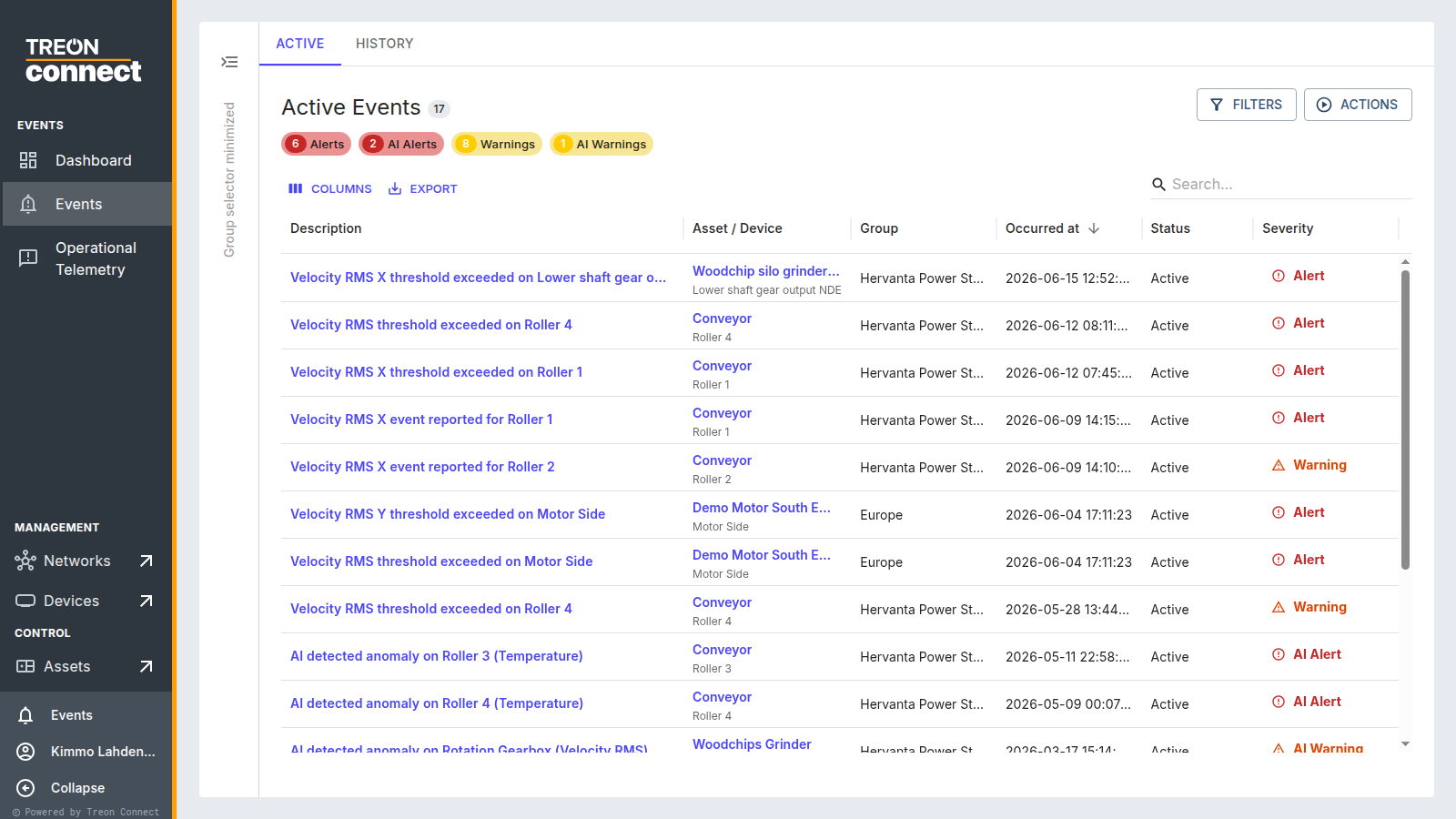
The Active tab lists open events; History holds resolved and rejected ones. Summary tiles across the top break the active events into Alerts, AI Alerts, Warnings and AI Warnings:
 Each row shows the event description, its asset and measurement point, the
group, when it occurred, its status and severity.
Sections
- Dashboard — an overview of event activity: totals and 24-hour counts, AI events split into actual vs false alerts, threshold events, events overdue by more than a week, a reported-vs-cleared trend, and your most critical assets and most frequently triggered events.
- Events — the Active / History lists and handling an event, plus setting event rules and notification settings.
- Operational Telemetry — device and operation events (a configuration, measurement or firmware operation and its result), as opposed to machine-condition events.
How events are raised
An event is a warning or alert that fires when a machine's measurements meet a condition. Those conditions come from three sources, which you can mix freely on the same machine:
- Manually set thresholds — a specific limit you set on any KPI, to warn or alert when the measurement crosses it.
- Classifications — applying an ISO or preset class sets the same standards-based limits across many sensors at once, to meet a monitoring requirement without configuring each one.
- AI-based learning — AI anomaly detection learns each machine's own normal and flags deviations, with no limit to set.
For example, a machine can carry a manually-set alert limit and an ISO-class limit and an AI model at the same time; any of them can raise an event.
| Type | Raised by | Example |
|---|---|---|
| Threshold / Class | A value crossing a manual or ISO-class limit | "Velocity RMS X threshold exceeded on Roller 1" |
| AI | The anomaly-detection model for a trained device | "AI detected anomaly on Roller 3 (Velocity RMS)" |
In the Events list, Filters narrows by event type — AI, ISO or Custom — plus severity, time range and assignee. (The Condition dashboard has its own AI / Class / All toggle.)