Handle events
An event is Treon Connect telling you something about a machine has changed. This guide takes one from noticing it to closing it out with a record of what you found.
1. Find the event
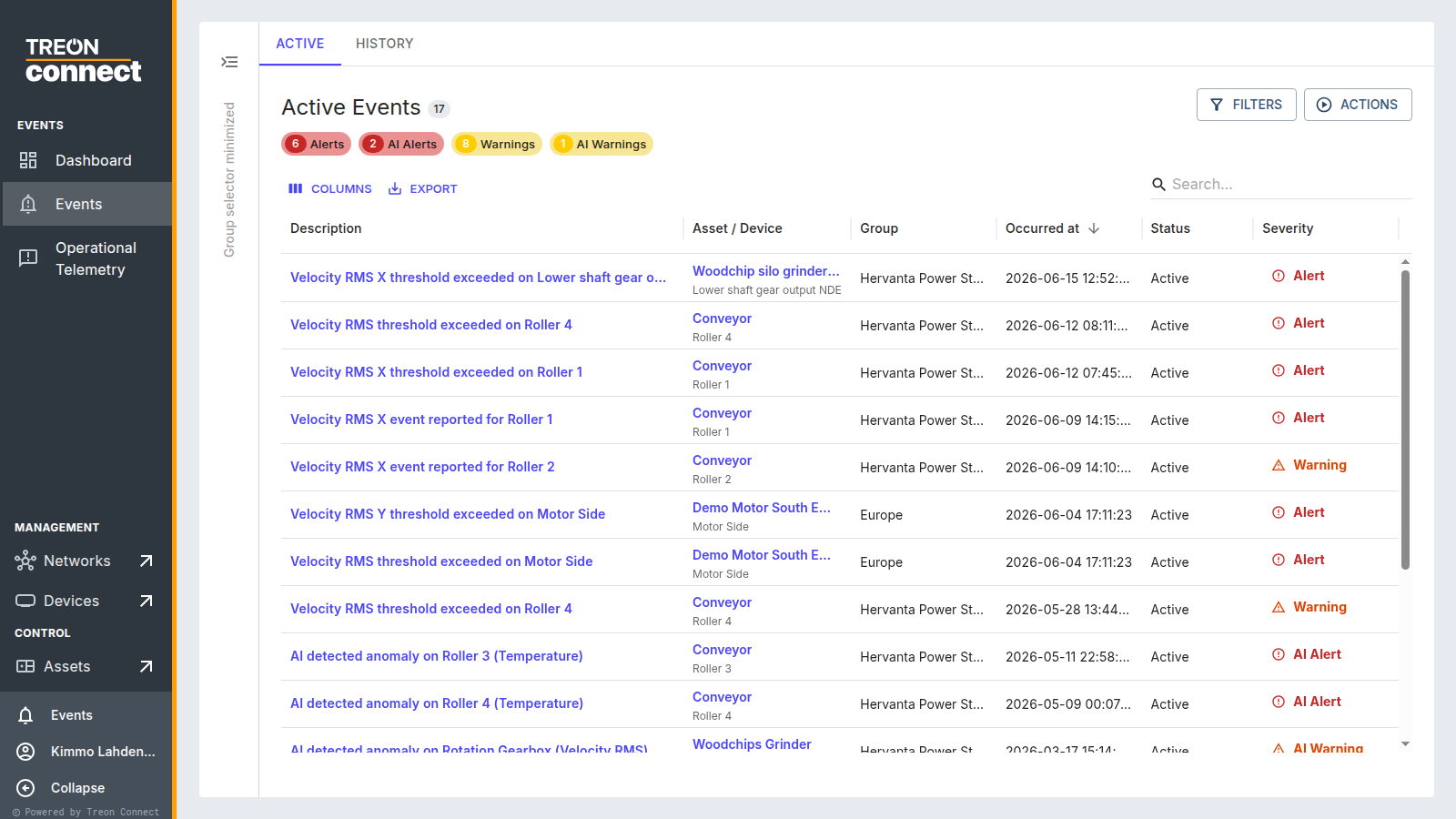
Events lists everything flagged — threshold breaches and AI anomalies. Start with Active, and use the severity tiles and filters to get to what matters.
2. Open it and read the summary
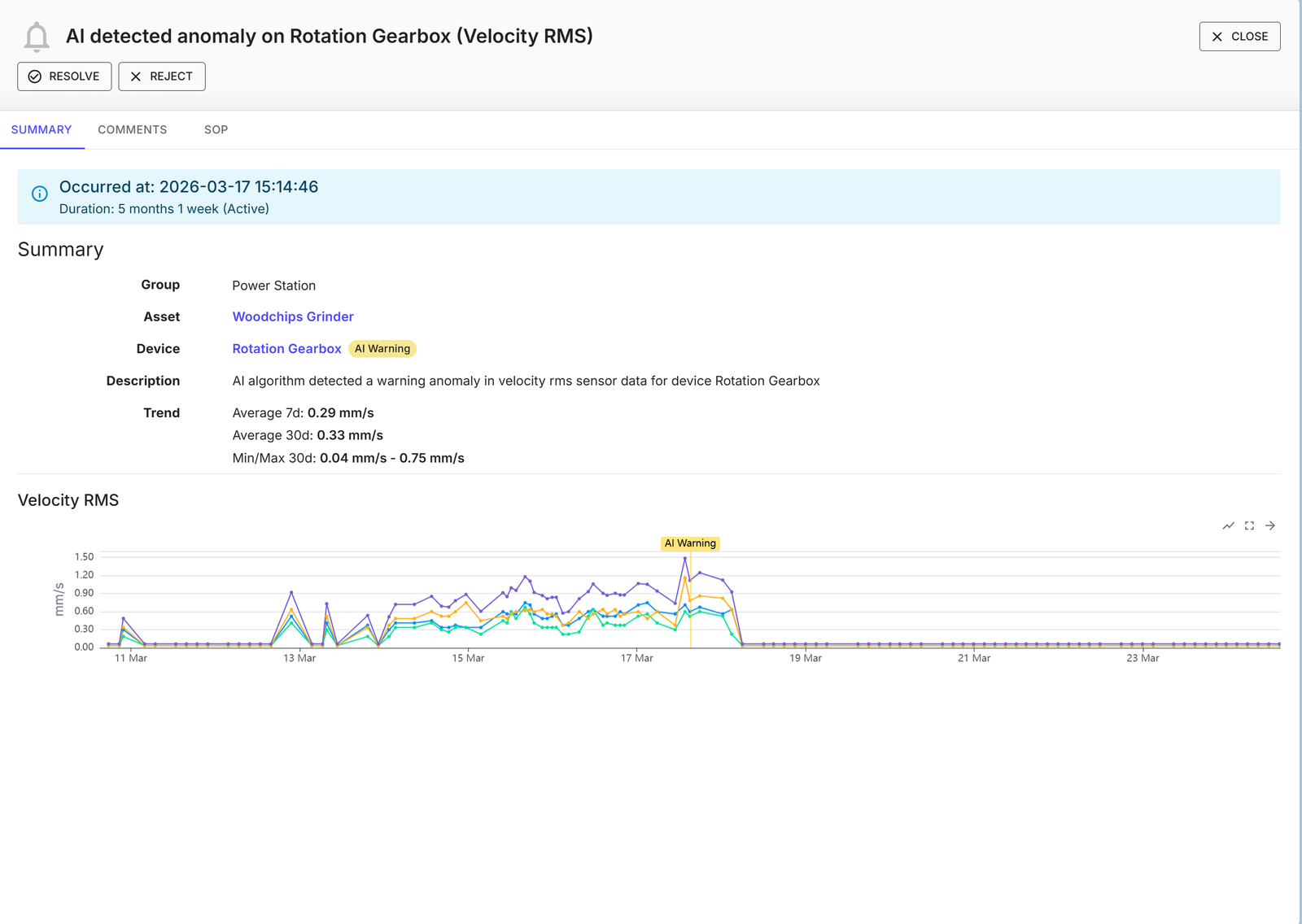
The Summary tab gives you the KPI, the value against its threshold, and the 7- and 30-day trend — enough to tell a spike from a sustained change before you go any further.
3. Diagnose the cause
Follow the links from the event into the data: the KPI trend, and on a Treon Industrial Node X machine the spectrum and waveform. For an AI event this is how you find out what the model reacted to — the model tells you something is off, not what.
See Analyze data for the full path.
4. Follow the procedure
The asset's SOP is on the event's SOP tab — the standard operating procedure for this machine, to hand while you work.
5. Record what you found
Add a comment before you close the event. The comment is the only thing that will still be useful in six months, when the same machine flags again and someone wants to know what happened last time.
6. Resolve or reject

- Resolve if it mattered — a real fault you have handled, or a confirmed false positive.
- Reject if it was not significant.
For an AI event that turned out to be normal behaviour the model had not seen, resolve with No Failure Detected or New Process Change — that teaches the model. Where the machine itself legitimately changed, close the event on its real cause and then retrain from Set Event Rules.
The event moves to History with your notes attached.
7. Share the workload
Assign events to teammates and filter by assignee to track your own queue. See Handling an event.
Too many events?
A flood of alerts usually means the limits are wrong for the machine, not that the machine is failing — most often events firing while the machine is stopped or idling. See too many alerts / false alarms.
Next: Subscribe to events.